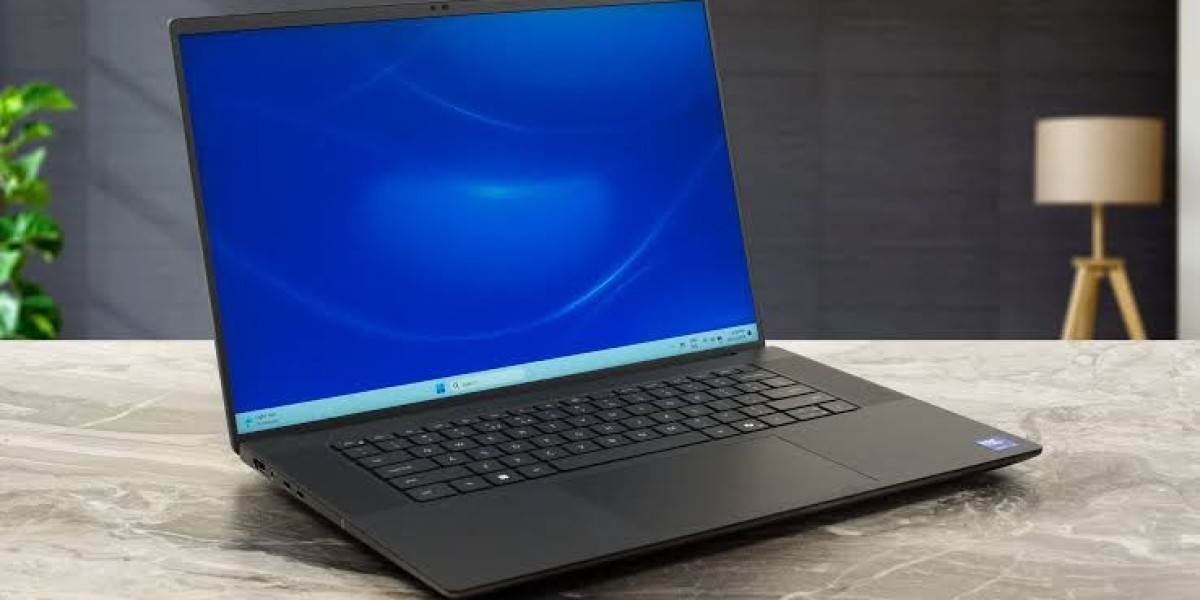

Dell Precision 5690 Review: A Mobile Workstation Built for Serious Work
If you've spent any time shopping for a laptop that can handle CAD renders, video editing timelines, or machine learning workloads without turning into a desk anchor, you've probably come across the Dell Precision 5690. It sits at an interesting crossroads in Dell's lineup thinner and lighter than the brand's bulkier Precision 7000 series, yet still packing enough hardware to earn the "workstation" label.
In this article, we'll break down what the Precision 5690 actually offers, how it stacks up against the larger Dell Precision 7780, where it lands next to alternatives like the Lenovo Legion 9, and whether it's worth the investment for your specific type of work. By the end, you'll have a clear, practical picture of who this laptop is really for.
What Is the Dell Precision 5690?
The Precision 5690 is a 16-inch mobile workstation that replaced the Precision 5680, moving from 13th-generation Intel Raptor Lake-H chips to Intel's Core Ultra ("Meteor Lake-H") processors. It's part of Dell's push to bring AI-accelerated hardware specifically Intel's built-in NPU into its professional laptop lineup.
Design-wise, the 5690 borrows heavily from the Dell XPS aesthetic: a sleek aluminum chassis, minimalist port arrangement, and a display that's noticeably nicer than what you'd typically expect from a "workhorse" laptop. That's by design. Dell positions the 5690 as the workstation for professionals who need serious compute power but don't want to lug around a heavier 17-inch chassis all day.
Key Specifications at a Glance
Processor options: Intel Core Ultra 5 135H up to Core Ultra 9 185H (vPro Enterprise available), rated at 45W base power
Graphics: Intel Arc Pro integrated graphics on base models, or NVIDIA RTX Ada-generation discrete GPUs (up to RTX 5000 Ada) on higher configurations
Memory: Soldered LPDDR5/LPDDR5X, available in 16GB, 32GB, and 64GB configurations not user-upgradeable
Storage: Two Gen4 M.2 2280 SSD slots
Display: 16-inch options ranging from a 1920×1200 non-touch IPS panel up to a 3840×2400 OLED touchscreen
Battery: Reported battery life of close to 11 hours in real-world testing on efficient configurations
Starting price: Around $2,000+ for base configurations, with high-end units (Core Ultra 9, RTX 5000 Ada, OLED touch) climbing to roughly $5,900–$6,500
Because so many of these components are soldered rather than upgradeable, the configuration you choose at checkout is essentially the configuration you're stuck with for the life of the machine. That makes the buying decision more important than it might be with a typical consumer laptop.
Performance: Where the Precision 5690 Shines (and Where It Doesn't)
CPU Performance
One of the more surprising takeaways from independent testing is that the jump to Intel's Core Ultra 9 185H doesn't always translate into a dramatic real-world performance gain over the previous-generation Core i9-13900H found in the Precision 5680. The core and thread counts are similar, and in some workloads the newer chip doesn't pull decisively ahead. The upside is the integrated NPU, which is designed to accelerate AI-driven tasks as more software takes advantage of it this is more of a forward-looking investment than an immediate performance leap.
If your budget allows it, stepping down to the Core Ultra 7 155H is often a smarter buy: it offers the same core and thread count as the Ultra 9 but at a lower price point, without giving up much in day-to-day performance.
GPU Performance
This is where the Precision 5690 earns its workstation credentials. The optional NVIDIA RTX 5000 Ada Generation GPU delivers serious capability for a chassis this size think 3D rendering, GPU-accelerated simulation, and video work that would choke a standard ultrabook. It's an expensive add-on, but for professionals in CAD, architecture, or content creation, it's often the reason to buy this machine in the first place.
Worth noting: base configurations ship with Intel Arc Pro integrated graphics only. If you're buying this as a true workstation for GPU-heavy work, you'll want to budget for the discrete NVIDIA option the integrated graphics variant doesn't really deliver on the workstation promise.
Display Quality
The display lineup is a genuine strength. The top-tier 3840×2400 OLED touchscreen configuration delivers excellent color accuracy, reportedly hitting 100% DCI-P3 coverage, which matters enormously for photo, video, and design professionals who need color-critical accuracy. Even the base 1920×1200 IPS panel is a solid, usable screen for everyday productivity, though it won't wow anyone used to premium displays.

Dell Precision 5690 vs. Dell Precision 7780: Which Should You Choose?
This is one of the most common comparisons professionals make when shopping in Dell's workstation lineup, since both machines target similar buyers but take different approaches.
Feature | Dell Precision 5690 | Dell Precision 7780 |
Screen size | 16-inch | 17.3-inch |
CPU | Intel Core Ultra (Meteor Lake-H), up to Core Ultra 9 185H | Intel Core i9-13950HX (up to 5.5GHz), higher core counts |
GPU options | Up to NVIDIA RTX 5000 Ada | Up to NVIDIA RTX 4000/5000 Ada-class |
Max RAM | 64GB (soldered, not upgradeable) | Up to 128GB (CAMM module) |
Storage | Two M.2 Gen4 slots | Larger capacity options across multiple slots |
Portability | Thinner, lighter, XPS-inspired design | Heavier, desktop-replacement chassis |
Best for | Professionals who travel and need a lighter workstation | Users who need maximum power/memory and rarely move the laptop |
In short: the Precision 5690 is the better pick if portability and display quality matter to you and your workloads fit within 64GB of RAM. The Dell Precision 7780 makes more sense if you're running memory-hungry simulations, massive assemblies in CAD software, or multi-application workflows where 128GB of RAM and higher sustained CPU performance outweigh the benefits of a lighter chassis.
How Does It Compare to the Lenovo Legion 9?
While the Lenovo Legion 9 is positioned more as a premium gaming laptop than a certified workstation, it's a common cross-shop for buyers who want high-end GPU performance in a similarly sized chassis. The Legion 9 typically emphasizes raw gaming GPU throughput and thermal headroom for sustained frame rates, while the Precision 5690 focuses on ISV certifications (software like SolidWorks, AutoCAD, and Adobe's Creative Suite are validated against Dell's workstation-class drivers), ECC-adjacent reliability features, and business support options like Dell ProSupport.
If your work depends on certified drivers and enterprise support, the Precision 5690 is the safer choice. If you want the best possible frame rates and don't need workstation certifications, the Legion 9 (or similar gaming laptops) may deliver more GPU power per dollar.
Real-World Use Case: Who Actually Buys the Precision 5690?
Consider a freelance architectural designer who splits time between client site visits and long rendering sessions back at the studio. They need a laptop light enough to carry between meetings, a display accurate enough to review renders and material finishes, and enough GPU power to run tools like Revit or Enscape without waiting around. The Precision 5690, configured with the RTX 5000 Ada GPU and OLED display, fits that use case well it's a machine designed for people who need workstation power without a workstation's usual bulk.
Contrast that with a mechanical engineering team working on large multi-part assemblies with heavy simulation loads. Their workflow benefits more from higher RAM ceilings and sustained CPU performance, which points them toward the Precision 7780 or a desktop workstation instead.
Pros and Cons
Pros:
Excellent display options, including a color-accurate 4K OLED touchscreen
Strong GPU performance from NVIDIA's Ada-generation lineup
Lighter and thinner than typical 17-inch workstations
Long battery life for a workstation-class laptop
Business-grade support and ISV software certifications
Cons:
RAM is soldered and not upgradeable choose carefully at purchase
Premium configurations get expensive quickly
CPU gains over the previous generation are modest in some workloads
No USB-A ports on some configurations, which may require dongles
Slight thermal throttling reported under extended, extreme workloads
Frequently Asked Questions
Is the Dell Precision 5690 good for gaming? It can handle games reasonably well thanks to its Ada-generation GPU options, but it isn't optimized for gaming the way a Legion 9 or similar gaming laptop is. It's built primarily for professional workloads.
Can I upgrade the RAM later on the Precision 5690? No. The RAM is soldered LPDDR5/LPDDR5X, so whatever configuration you choose at purchase is permanent. Many reviewers recommend buying at least 32GB to future-proof the machine.
What's the main difference between the Precision 5690 and Precision 7780? The 5690 is a lighter, more portable 16-inch workstation with a max of 64GB RAM, while the 7780 is a larger 17.3-inch machine that supports up to 128GB of RAM and higher-core-count CPUs, better suited to heavier, stationary workloads.
Does the Precision 5690 come with a touchscreen? Touchscreen is available on the higher-end 3840×2400 OLED display configuration. The base 1920×1200 IPS panel is non-touch.
Is the Dell Precision 5690 worth the price? For professionals who need certified workstation performance, a great display, and better portability than a 17-inch machine, it's a strong investment. If your budget is tight or your workloads don't need discrete GPU acceleration, a less expensive configuration or a different laptop entirely may make more sense.
Final Thoughts
The Dell Precision 5690 carves out a clear niche: a mobile workstation for professionals who refuse to choose between performance and portability. It's not the cheapest option, and the RAM ceiling and lack of upgradeability mean you need to configure it thoughtfully from day one. But for architects, engineers, video editors, and other professionals who need certified software performance in a lighter chassis, it's one of the more compelling options on the market right now.
If you're deciding between the Precision 5690, the larger Precision 7780, or even a high-performance alternative like the Lenovo Legion 9, the right choice really comes down to how much you value portability versus raw expandability.
Have you used the Dell Precision 5690 for your own work? Share your experience in the comments below, or pass this article along to a colleague who's weighing their next workstation purchas your insight could help someone else make the right call.