
Introduction
Picture a gaming laptop that's thin enough to slide into a tablet sleeve, powerful enough to run Cyberpunk 2077 at respectable frame rates, and versatile enough to double as a productivity machine when you pop off the keyboard. That's the pitch behind the ASUS ROG Flow Z13, one of the most unusual devices in ASUS's Republic of Gamers lineup.
Unlike a traditional gaming laptop, the Flow Z13 is built around a detachable, kickstand-equipped tablet chassis closer in spirit to a Microsoft Surface than to a bulky 17-inch gaming rig. Yet under that slim shell sits genuinely serious hardware, headlined by AMD's Ryzen AI Max+ 395 processor (also known as "Strix Halo") and a fast integrated GPU that punches well above what most people expect from a tablet.
What Is the ASUS ROG Flow Z13, Exactly?
The ROG Flow Z13 sits at the intersection of three device categories: gaming laptop, productivity tablet, and creator workstation. It ships as a 13.4-inch tablet with a detachable, magnetically attached keyboard and a built-in kickstand, similar in concept to the Surface Pro line but engineered for gaming-grade thermal output.
The latest generation is built around the AMD Ryzen AI Max+ 395 APU, a chip that combines a powerful CPU with an unusually capable integrated Radeon 8060S GPU sharing unified memory. Because the memory is unified, ASUS can configure the Flow Z13 with up to 128GB of RAM, letting users dynamically allocate a large chunk to graphics, a feature more commonly associated with desktop workstations or Apple Silicon Macs than with a 13-inch tablet.
Key Specifications at a Glance
Display: 13.4-inch ROG Nebula touchscreen, 2.5K resolution, 180Hz refresh rate, 3ms response time, 500 nits peak brightness, 100% DCI-P3 coverage
Processor: AMD Ryzen AI Max+ 395 ("Strix Halo")
Graphics: Integrated AMD Radeon 8060S with shared unified memory
Memory: Configurable up to 128GB unified RAM
Storage: Up to 1TB PCIe SSD
Weight: Roughly 1.2–1.7kg depending on configuration and region
OS: Windows 11 Pro
Gaming Performance: Punching Above Its Weight Class
The headline feature of the Flow Z13 is that it can genuinely run modern AAA games, not just cloud-streamed titles or cut-down mobile ports. <cite index="7-1">Its AMD Ryzen AI Max+ 395 chip is widely regarded as the most powerful APU currently available, and its integrated GPU allows the device to handle most games on medium settings even when unplugged from a power outlet.</cite> Reviewers who tested the device over extended periods found that plugging it into its included high-wattage charger and selecting a higher-power preset with FSR3 upscaling enabled lets it run titles like Cyberpunk 2077 at Ultra settings around 60 frames per second, a genuinely impressive result for a device this size.
In more standardized testing, the Flow Z13 has shown it can push esports titles like Valorant and Counter-Strike 2 well past 120 FPS at 1080p. In contrast, heavier AAA titles such as Shadow of the Tomb Raider tend to land in the 60–80 FPS range at the display's native 2.5K resolution when settings are optimized.
Thermal Performance
Because the Flow Z13 packs gaming-class hardware into a slim tablet body, thermal management is naturally a bigger challenge than it would be in a traditional gaming laptop with more internal volume for airflow. ASUS addresses this with vapor chamber cooling and generous internal spacing, and reviewers have generally found real-world gaming temperatures land in a warm-but-manageable range rather than triggering aggressive throttling. The tradeoff is that the chassis can get noticeably warm to the touch during extended, demanding sessions something to keep in mind if you plan to hold the tablet directly rather than using it in laptop or stand mode.
Display and Everyday Usability
The 13.4-inch ROG Nebula panel is one of the Flow Z13's strongest selling points. With a 2.5K resolution, 180Hz refresh rate, and a 3ms response time, it's built to keep pace with fast-moving competitive games while still looking sharp for everyday productivity work. <cite index="4-1">The panel is paired with 500 nits of sustained brightness, a 90% screen-to-body ratio, and 100% coverage of the DCI-P3 color space</cite>, making it a genuinely vivid screen for both gaming and general content consumption.
Outside of gaming, the device functions as a capable if slightly compromised productivity machine. The detachable keyboard and kickstand design mean you get real flexibility in how you position the device, but reviewers who've used the Flow Z13 as a full-time laptop replacement note that the kickstand isn't as stable as a traditional laptop hinge, particularly when used on a lap rather than a flat surface. The detachable keyboard itself has decent key travel, though the trackpad is smaller than what you'd find on a comparable 13- or 14-inch laptop.
Battery Life and Portability
Portability is where the Flow Z13's tablet-first design pays off. At roughly 1.2kg for some configurations, it's dramatically lighter than the typical 2–3kg gaming laptop, and its compact footprint makes it genuinely easy to toss into a small bag. That said, running demanding games at full power will drain the battery quickly, as is true of virtually any gaming device this is a machine best suited for gaming while plugged in, with battery power reserved for lighter productivity tasks and casual use on the go.

How Does It Compare? Flow Z13 vs. Lenovo Yoga 9 2-in-1 vs. Dell XPS 16 9640
Not everyone shopping for a premium 2-in-1 or high-performance portable needs a gaming-first machine. Here's how the Flow Z13 stacks up against two other well-regarded options in adjacent categories.
ASUS ROG Flow Z13 vs. Lenovo Yoga 9 2-in-1
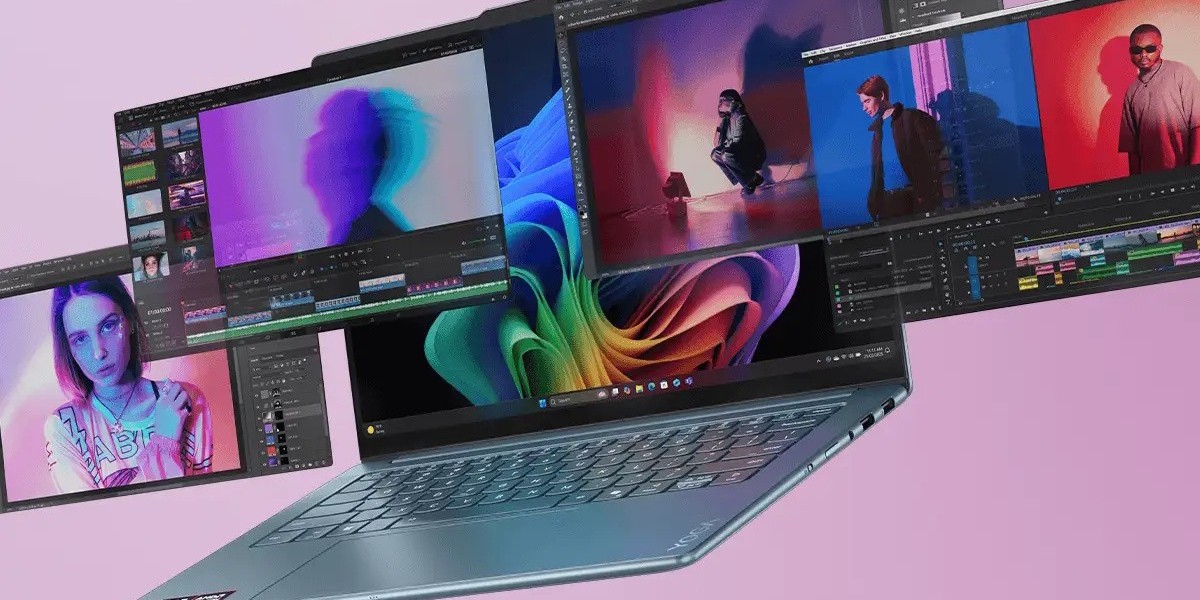
The Lenovo Yoga 9 2-in-1 takes a very different approach to the convertible form factor. Rather than a detachable tablet, it uses a traditional 360-degree hinge, and rather than chasing gaming performance, it prioritizes battery life, display quality, and everyday polish. <cite index="10-1">The latest Yoga 9i 2-in-1 pairs an Intel Lunar Lake processor with much longer battery life and full support for Copilot+ PC AI features, along with a generous 32GB of RAM and a 1TB SSD.</cite>
Where the Yoga 9 2-in-1 shines is its display and build quality. <cite index="14-1">Lenovo offers a 14-inch 16:10 OLED panel with a 120Hz adaptive refresh rate, 99% Adobe RGB coverage, and VESA-certified HDR True Black 1000 capability, alongside a 4K option with fixed 60Hz refresh and HDR True Black 500 support.</cite> It's a machine built for creative professionals and everyday users who want a beautiful screen and all-day battery life rather than gaming muscle.
Bottom line: Choose the Flow Z13 if gaming performance is a priority and you can live with shorter battery life under load. Choose the Yoga 9 2-in-1 if you want a more traditional convertible experience with a stunning OLED display, longer battery life, and a more conventional laptop typing experience.
ASUS ROG Flow Z13 vs. Dell XPS 16 9640
The Dell XPS 16 9640 plays in a completely different weight class it's a full-size 16-inch creator and productivity laptop rather than a tablet hybrid. <cite index="18-1">It offers a range of Intel Core Ultra CPU and Nvidia GeForce RTX dedicated GPU configurations, along with onboard capability for current and future AI tools.</cite> Where the Flow Z13 relies on a single unified-memory APU for its graphics performance, the XPS 16 9640 can be configured with dedicated Nvidia graphics up to an RTX 4070, giving it an edge in sustained, demanding GPU workloads like video rendering or 3D modeling.
The XPS 16 9640 also offers a genuinely excellent display option. <cite index="20-1">Its 4K OLED panel delivers stunning visuals with vibrant colors, deep blacks, and excellent viewing angles</cite>, making it a strong pick for photo and video editors. However, it's a much bulkier, heavier machine that sacrifices the Flow Z13's portability entirely, and it's not designed to be used as a tablet at all.
Bottom line: Choose the Flow Z13 if portability and gaming-on-the-go matter most. Choose the Dell XPS 16 9640 if you want a larger screen, dedicated Nvidia graphics for creative workloads, and don't mind carrying a heavier, more traditional laptop.
Pros and Cons
Pros
Genuinely capable gaming performance in a tablet-sized chassis
Vibrant, high-refresh-rate 2.5K display well suited to both gaming and productivity
Configurable up to 128GB of unified memory, appealing to creators and AI enthusiasts
Highly portable compared to traditional gaming laptops
Versatile form factor with detachable keyboard and built-in kickstand
Cons
Chassis can run warm under sustained gaming loads
Kickstand design is less stable than a traditional laptop hinge, especially on a lap
Battery drains quickly during demanding gaming sessions
Smaller trackpad than comparable laptops
Premium pricing, particularly on higher-RAM configurations
Frequently Asked Questions
Is the ASUS ROG Flow Z13 good for gaming? Yes. Thanks to its AMD Ryzen AI Max+ 395 processor and integrated Radeon graphics, the Flow Z13 can run modern AAA titles at playable frame rates, and easily handles esports games at well over 120 FPS at 1080p.
Can the ROG Flow Z13 be used as a everyday laptop? It can, though its detachable keyboard and kickstand design make it slightly less stable than a traditional clamshell laptop, particularly for use on your lap.
How does the ASUS ROG Flow Z13 compare to the Lenovo Yoga 9 2-in-1? The Flow Z13 prioritizes gaming performance in a tablet form factor, while the Yoga 9 2-in-1 prioritizes battery life, display quality, and a more traditional convertible laptop experience.
Is the Dell XPS 16 9640 better than the ROG Flow Z13? It depends on your needs. The XPS 16 9640 offers a larger screen and dedicated Nvidia graphics options better suited to creative workloads, but it's much bulkier and isn't designed to function as a tablet.
What is unified memory, and why does it matter on the Flow Z13? Unified memory means the CPU and GPU share the same pool of RAM rather than having separate dedicated memory. On the Flow Z13, this allows users to allocate a large portion of the system's RAM to graphics, boosting gaming and creative performance without needing a separate dedicated GPU.
Conclusion
The ASUS ROG Flow Z13 remains one of the most genuinely unique devices in the gaming laptop space a machine that manages to squeeze real gaming performance into a form factor small enough to function as a tablet. It won't replace a full-size gaming laptop for players chasing maximum frame rates, and its thermal and battery tradeoffs are the price of that portability. But for gamers and creators who value flexibility and don't want to carry a heavy machine everywhere, it's hard to find a more compelling alternative.
If your priorities lean more toward battery life and display quality in a traditional convertible, the Lenovo Yoga 9 2-in-1 is worth a close look. And if you need serious, sustained creative horsepower in a larger package, the Dell XPS 16 9640 deserves consideration too.
What matters most to you in a 2-in-1 device raw gaming power, battery life, or display quality? Share your thoughts in the comments, and if you found this comparison helpful, pass it along to a friend weighing the same decision.