
When your laptop suddenly stops working, it can interrupt work, school, or everyday activities. While many people consider visiting a local repair shop, that's not always the most convenient option. If you live far from a reputable technician or simply don't have the time to visit a repair center, a mail-in repair solution offers a practical alternative.
A mail-in laptop repair service allows you to send your laptop to experienced technicians who diagnose, repair, and safely return it to you. The process is designed to be simple, secure, and convenient, making it an excellent choice for customers across the country.
Step 1: Contact the Repair Company
The first step is reaching out to a trusted repair provider. Most companies allow you to submit a repair request online or by phone. You'll typically provide information such as:
- Laptop brand and model
- Description of the issue
- Whether the laptop powers on
- Any visible physical damage
- Contact information
Providing accurate details helps technicians prepare for the diagnostic process.
Step 2: Prepare Your Laptop for Shipping
Before shipping your laptop, take a few important steps to protect your data and device.
Back Up Important Files
If your laptop is still functional, create a backup of important documents, photos, and other files. While repair technicians take care when handling devices, it's always a good idea to have a recent backup.
Remove Personal Accessories
Detach any external devices such as:
- USB drives
- SD cards
- External hard drives
- Wireless mouse receivers
- Laptop sleeves or cases
Only send the items requested by the repair company.
Securely Package the Laptop
Use a sturdy shipping box with plenty of protective padding, such as bubble wrap or foam inserts. Proper packaging helps reduce the risk of damage during transit.
Step 3: Ship Your Device
Once your laptop is packed securely, ship it using a reliable carrier that offers package tracking. Tracking allows you to monitor your shipment and confirms when it arrives at the repair facility.
Many repair providers also recommend purchasing shipping insurance for added peace of mind.
Step 4: Professional Diagnostic Inspection
After your laptop arrives, technicians perform a complete diagnostic evaluation.
This process identifies the root cause of the problem rather than simply addressing visible symptoms. Common issues include:
- Broken screens
- Charging problems
- Battery failures
- Keyboard damage
- Motherboard faults
- SSD or hard drive failures
- Cooling system issues
- Liquid damage
Accurate diagnostics ensure the repair addresses the actual problem.
Step 5: Receive a Repair Estimate
After completing the inspection, the repair company provides a detailed estimate outlining:
- Identified problem
- Recommended repairs
- Cost of parts
- Labor charges
- Estimated turnaround time
Reputable companies typically begin repairs only after receiving your approval.
Step 6: Expert Repair Process
Once approved, experienced technicians perform the necessary repairs using professional tools and compatible replacement components.
Common repair services include:
Screen Replacement
Cracked or damaged displays are replaced with compatible screens that restore image quality.
Battery Replacement
Old or failing batteries are replaced to improve battery life and charging performance.
Charging Port Repair
Damaged charging connectors are repaired or replaced to restore reliable power delivery.
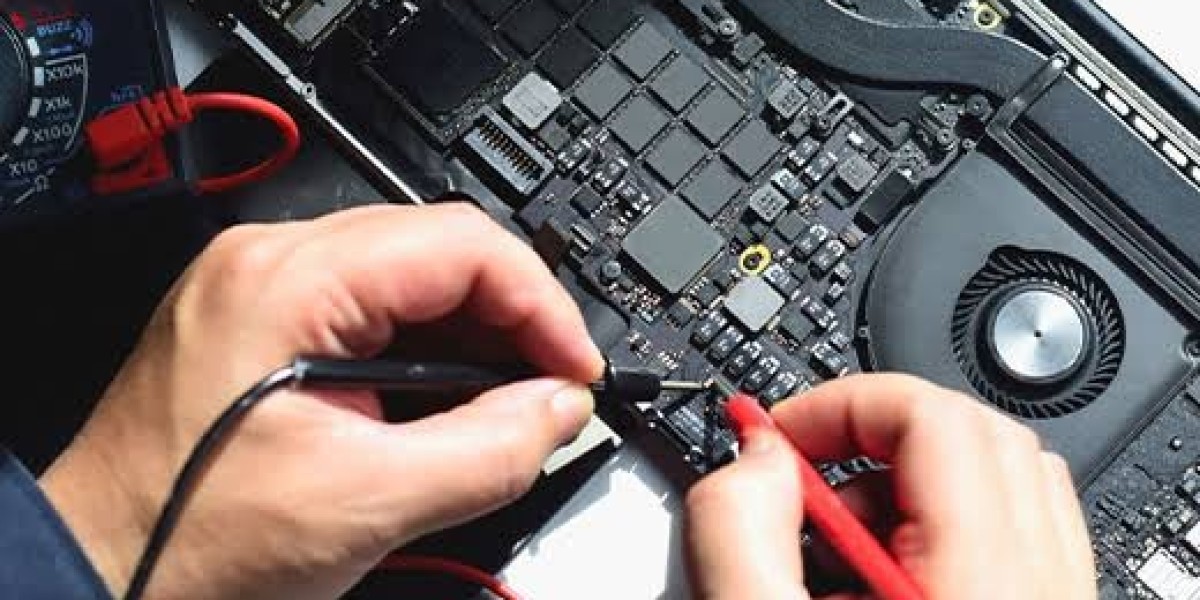
Motherboard Repair
Technicians inspect and repair damaged circuits, chips, and connectors whenever possible instead of recommending a full laptop replacement.
Cooling System Service
Dust removal, fan replacement, and fresh thermal paste help reduce overheating and improve overall performance.
Step 7: Quality Testing
After repairs are completed, technicians thoroughly test the laptop to ensure everything functions correctly.
Testing often includes:
- Boot-up verification
- Display quality
- Keyboard functionality
- Charging performance
- Battery health
- USB ports
- Audio system
- Wi-Fi connectivity
- Temperature monitoring
This quality control process helps ensure the laptop is operating properly before it's returned.
Step 8: Safe Return Shipping
Once testing is complete, your laptop is carefully packaged and shipped back using a trackable shipping service.
Many providers notify customers when the repair is complete and provide tracking information so they can monitor delivery.
Advantages of Mail-In Laptop Repair
Choosing a mail-in repair service offers several benefits.
Convenience
There's no need to drive to a repair shop or wait for an appointment. Everything can be handled from home.
Access to Experienced Technicians
Mail-in repair centers often work with a wide variety of laptop brands and repair hundreds of devices each month.
Faster Repairs
Many specialized repair facilities complete repairs efficiently because they focus exclusively on laptop diagnostics and repairs.
Cost Savings
Repairing your existing laptop is often much more affordable than replacing it with a new device.
Choosing the Right Repair Provider
Before sending your laptop for repair, consider the following:
- Positive customer reviews
- Experienced technicians
- Transparent pricing
- Warranty on repairs
- Secure shipping procedures
- Responsive customer support
A trusted mail-in laptop repair service will keep you informed throughout the repair process and provide reliable service from start to finish.
Final Thoughts
A mail-in laptop repair service simplifies the repair process by allowing you to send your device directly to experienced technicians without visiting a local repair shop. From diagnostics and repair estimates to professional repairs and secure return shipping, every step is designed to provide convenience and peace of mind.