
Introduction
Most laptops still look the same: one screen, a keyboard, a trackpad. The Lenovo Yoga Book 9 throws that formula out the window with two full-size OLED displays and no built-in keyboard at all. It's one of the most talked-about productivity laptops on the market, and it's also one of the most polarizing some people love the flexibility, others can't imagine typing without a fixed keyboard deck.
In this guide, we'll break down what the Yoga Book 9i actually offers in 2026, who it's built for, and how it stacks up against a very different kind of machine: the business-focused Dell Latitude 7350. We'll also touch on the Dell 16 Plus, a more mainstream large-screen alternative, for readers who want options beyond dual-screen convertibles. By the end, you'll know whether this laptop fits your workflow or whether your money is better spent elsewhere.
What Is the Lenovo Yoga Book 9i?
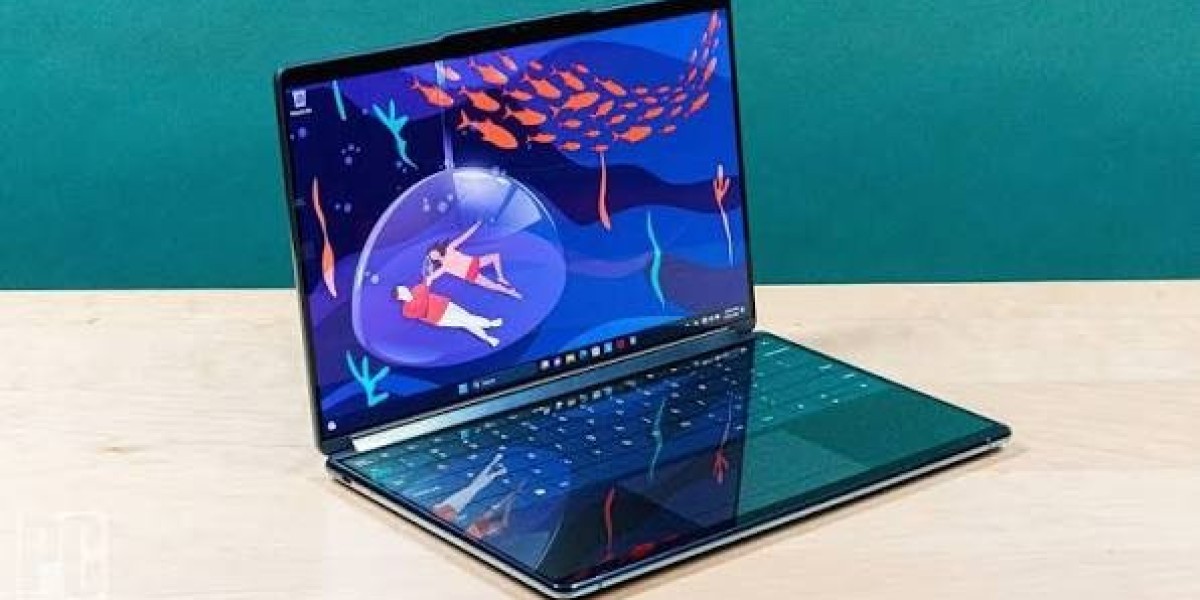
The Yoga Book 9i is Lenovo's flagship dual-screen laptop, part of the broader Yoga 2-in-1 lineup. Instead of a physical keyboard, it ships with two 13.3-inch or 14-inch OLED panels (depending on generation) stacked one above the other when the lid is closed like a book, or side-by-side when unfolded flat.
Lenovo bundles a Bluetooth keyboard, a stylus pen, and a small kickstand with every unit, so you're never actually stuck typing on glass unless you choose to. The idea is versatility: use it as a traditional laptop with the physical keyboard on the bottom screen, prop it up as a dual-monitor setup, lay it flat for sketching, or fold it into a single-screen tablet.
Key Specs at a Glance
Display: Dual 13.3"–14" OLED panels, 2.8K resolution, touch-enabled
Processor: Intel Core Ultra 7 (255H on the latest 14-inch model)
RAM: 16GB standard, configurable up to 32GB
Storage: 512GB SSD standard, up to 1TB
Included accessories: Bluetooth keyboard, stylus pen, folding stand
Operating System: Windows 11 Home or Pro
Starting price: Around $2,000–$2,100 for the base configuration
Because the hardware is soldered and can't be upgraded after purchase, it's worth ordering the configuration you actually intend to use for the long haul rather than assuming you'll upgrade later.
Design and Build Quality
The Yoga Book 9i's design is genuinely striking. Both OLED panels are protected by glass, giving it a premium, almost jewelry-like feel that's rare in the laptop world. There are no visible buttons on the main chassis power and volume controls are built discreetly into the frame.
That said, this design comes with trade-offs. Two glass panels mean more weight and more fragility than a typical clamshell laptop. It also means you're always managing an external keyboard, which some reviewers find genuinely useful for flexible workflows, and others find fussy for everyday typing-heavy tasks.
Performance and Everyday Use
Powered by Intel's Core Ultra 7 processor, the Yoga Book 9i comfortably handles everyday productivity work: web browsing, spreadsheets, video calls, and light photo editing. The dual-screen setup genuinely shines for multitasking imagine having your email open on one screen and your calendar or a document on the other, without needing an external monitor.
For creative professionals, the ability to lay the device flat and use the stylus on one screen while referencing notes on the other is a workflow that's hard to replicate on a standard laptop. However, this isn't a machine built for heavy gaming or intensive video rendering it uses integrated graphics, so demanding creative software will run, but not at the speed of a dedicated workstation.
Battery Life: The Biggest Trade-off
This is where the Yoga Book 9i draws the most criticism. Running two OLED panels simultaneously drains the battery fast real-world testing typically shows well under a full workday of battery life, especially under moderate-to-heavy use. If you're planning to use this laptop away from a power outlet for extended stretches, you'll want to pack the charger.
This is a meaningful consideration for anyone comparing it against more traditional business laptops, which brings us to the Dell Latitude 7350.