
Every business relies on email. Contracts get signed over email. Clients send project updates over email. Vendors confirm orders over email. When those messages land in spam instead of your inbox, the consequences are real. A missed client message can cost a sale. A missed vendor confirmation can delay a project. A missed follow-up can damage a relationship that took years to build.
The frustrating part is that you never find out. Your spam filter works silently in the background, making decisions on your behalf, and most of those decisions never get reviewed. The result is a steady, invisible drain on your business communication. SpamRescue was built to stop that drain.
What Is SpamRescue?
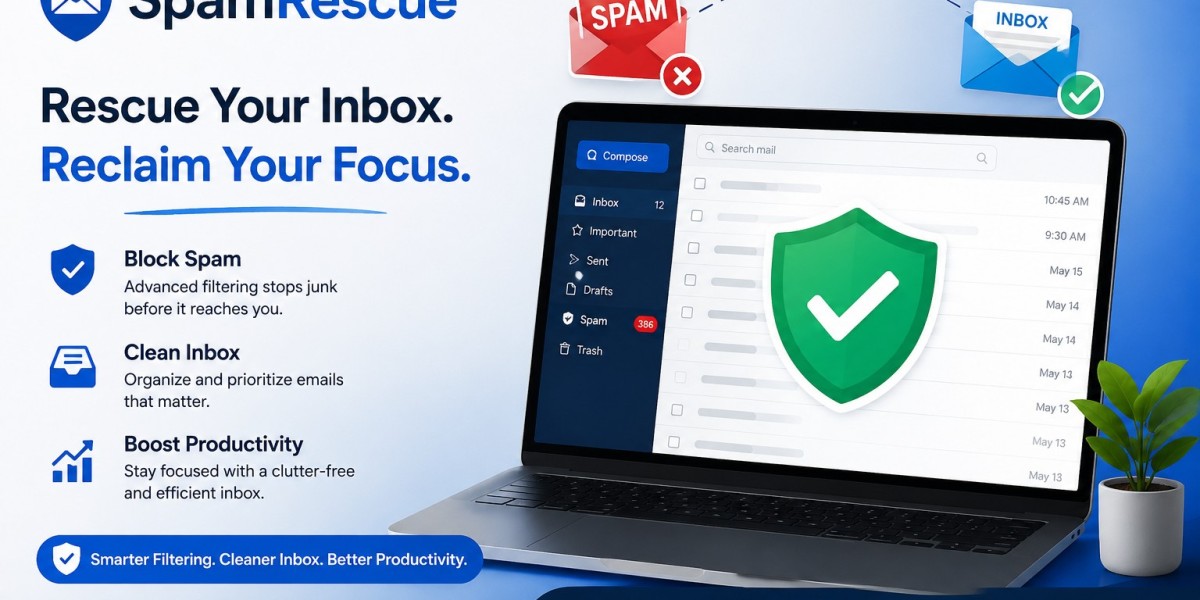
SpamRescue is a dedicated email monitoring tool that automatically scans your spam folder, scores every message it finds, and helps you identify and rescue legitimate emails before they expire permanently. It sits between your spam filter and the delete button, giving your business a structured, daily review process for everything your filter catches.
SpamRescue is developed and maintained by CompanionLink Software, Inc., based in Portland, Oregon. It connects to your mailbox via IMAP, the same secure protocol your email client uses, and reads only the email envelope. This includes the sender name, sender address, subject line, and authentication headers. The body content of your emails is never accessed, never stored, and never transmitted. All connections use SSL/TLS encryption on port 993, and passwords are AES-encrypted at rest.
Why SpamRescue Is Important
Spam filters are designed to be aggressive. They assess dozens of signals for every incoming message and make a binary decision: inbox or spam. That decision is based on patterns and probabilities, not intent. A new client using a shared mail server, a supplier sending invoices with certain formatting, or a first-time contact with an unfamiliar domain can all trigger a false positive.
Without a review process in place, those messages sit in your spam folder and expire after 30 days. Most businesses never check their spam folders manually. The messages disappear without anyone ever knowing they arrived.
SpamRescue closes this gap. It gives businesses full visibility over their spam folder without requiring them to scroll through hundreds of unwanted messages manually. Every legitimate-looking email gets surfaced, scored, and presented in a clear review queue. The result is accountability over a part of your email pipeline that has historically had none.
Key Features
SpamRescue is built around a focused feature set that covers the full spam review workflow without requiring any changes to your existing email configuration.
Header-only access: SpamRescue reads only the email envelope, including sender details, subject line, and authentication results. Message body content is never processed. This means the tool can be safely deployed in organizations with strict data handling requirements, and staff can review spam queues without ever accessing full email content.
Spam scoring engine: Every message receives a score based on sender reputation signals, subject content, reply history, mailing list flags, and email authentication results, including SPF, DKIM, and DMARC. Every score includes a full breakdown so you can see exactly why a message was rated as it was.
Likely Rescue and Review queues: Messages scoring 2 or higher appear in the Likely Rescue list. Lower-scoring messages appear in the Review list. This split allows you to prioritize quickly without reading every message in your spam folder.
Ham and spam keyword rules: Ham keywords increase a message score for terms that belong to your business, such as industry jargon, product names, client names, and location terms. Spam keywords decrease scores for content you do not need rescued. Keywords apply immediately and rescore all active messages in seconds.
Auto-rescue automation: Set a score threshold between 2 and 5, and SpamRescue automatically moves qualifying messages to your inbox each night. Once configured, no one on your team needs to log in or check spam manually.
Daily or weekly digest: A summary email confirms what was rescued, so you always know what happened without opening the dashboard.
Helper accounts: A team member, such as an office manager or executive assistant, can review and rescue emails on behalf of others without ever accessing mailbox credentials or account settings.
Multi-inbox dashboard: Review spam across multiple mailboxes from a single interface instead of logging into each account separately.
Plans and Pricing
SpamRescue offers three plans covering different levels of use.
The Free Plan at $0 per month covers one mailbox with manual on-demand scanning, spam scoring, a 7-day message history, and up to 5 keyword rules. No credit card is required, and the plan remains free permanently.
The Starter Plan at $15 per month, billed as $180 per year, covers 3 mailboxes with auto-scanning twice daily, a 30-day message history, unlimited keyword rules, email notifications, and sender trust management. This plan is suited to small business owners and professionals managing a small number of inboxes who want automation without a high monthly cost.
The Professional Plan at $39 per month, billed as $468 per year, covers 10 mailboxes with auto-scanning 4 times daily, a 90-day message history, unlimited keyword rules, email notifications, sender trust management, one free month of helper accounts, and priority support. This plan is designed for teams, IT managers, and office managers responsible for multiple staff mailboxes.
All paid plans include a 7-day free trial with no credit card required. You can cancel at any time with no lock-in.
Who Should Use SpamRescue
SpamRescue is most valuable for professionals and organizations that regularly receive important emails from new or external contacts and cannot afford to miss them.
Small business owners who depend on inbound client communication will benefit immediately from the auto-rescue and daily digest features. Consultants and freelancers who rely on new project inquiries arriving in their inbox will find the spam scoring and keyword tools essential. Office managers and executive assistants who manage multiple inboxes for a team will save significant time using the multi-inbox dashboard and helper account system. IT managers and system administrators who need to give staff a safe way to review spam without exposing mailbox credentials will value the header-only access model. Legal, financial, and healthcare practices that require accountability over their communication infrastructure will benefit from the structured, documented approach SpamRescue brings to spam review.
How to Use SpamRescue
Getting started requires no changes to your existing email setup and takes only a few minutes.
Create a free account at spamrescue.com and connect your mailbox using IMAP. SpamRescue supports Gmail, Google Workspace, Microsoft 365, Outlook, Zoho, Fastmail, Apple Mail, and most standard business email providers. Major providers like Gmail require an app password rather than your regular account password, and the setup guide walks you through each step.
Once connected, SpamRescue scans the last 21 days of your spam folder and presents two sorted lists: Likely Rescue and Review. Each message shows a score and a full breakdown of the signals that determined it.
Spend 10 to 15 minutes adding ham keywords relevant to your business. Include client names, product names, industry terms, and location references. Add spam keywords for newsletters and promotions you do not need rescued. Keywords: rescore all active messages immediately.
Enable auto-rescue, set your preferred threshold, and SpamRescue handles the daily monitoring from that point forward. A digest email each morning keeps you informed without requiring any further action.
Conclusion
Important business emails go to spam every day. Most of them expire unseen. The problem is not that your spam filter is wrong. The problem is that no one is checking its work. SpamRescue fixes that with a simple, secure, and fully automated review process that requires no routing changes, no AI processing, and no data sharing.
With a permanent free plan and a 7-day trial on all paid plans, there is no cost to finding out how many emails your filter has already been hiding. Visit spamrescue.com and start your free trial today.