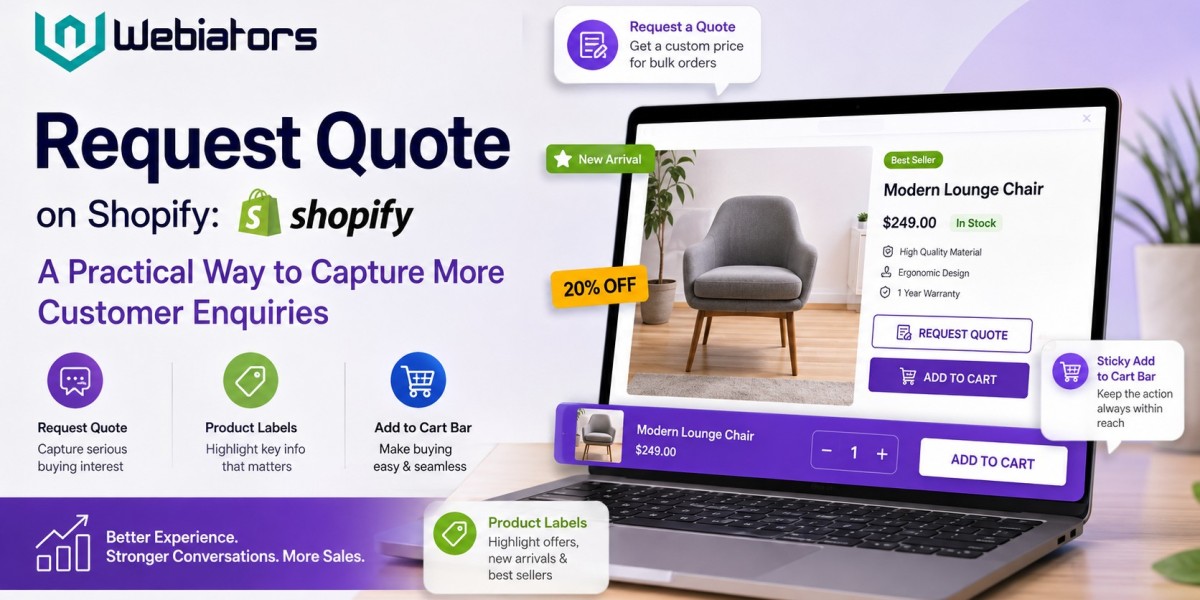

For many Shopify stores, getting a customer to add a product to the cart is only one part of the buying journey. Some shoppers have questions about pricing, quantity, customization, bulk orders, or availability before they are ready to purchase. In these situations, a request quote option can give customers another way to start a conversation with the store.
Instead of losing visitors who are not ready to buy immediately, merchants can use quote requests to collect genuine purchase interest and understand what customers actually need.
What Is a Request Quote Feature?
A request quote feature allows shoppers to send an enquiry about a product directly from an online store. Depending on the store's business model, customers may request a special price, bulk quotation, customized order, wholesale rate, or additional product information.
This is particularly useful for businesses selling higher-value products or serving B2B customers.
For example, imagine a customer wants 50 units of a product. The standard product price may not apply to an order of that size. Rather than making the customer search for an email address or leave the website, a request quote button can provide a direct path to submit the enquiry.
The result is a smoother customer experience and a better opportunity for the merchant to follow up.
Why Online Stores Need More Than a Buy Button
The traditional ecommerce journey usually focuses on one action: add the product to the cart and complete checkout.
However, not every customer follows that path.
A visitor may be interested in a product but still need:
- A bulk-order price
- A customized quotation
- Information about product specifications
- Confirmation of stock
- Shipping details
- Business pricing
- Help choosing between products
When the store only provides an immediate purchase option, these visitors may simply leave.
A request quote system gives them an alternative action without interrupting the shopping experience.
Product Labels Help Shoppers Understand Products Faster
Another useful element of a Shopify store is product labels.
Online shoppers often scan product pages quickly. Labels such as “New,” “Best Seller,” “Sale,” “Limited Stock,” or “Popular” can help visitors identify important product information without reading every detail.
Good product labels should be clear and relevant. Too many badges can make a product page look crowded, but a few strategically placed labels can improve product discovery.
For example, a store selling hundreds of products could use labels to highlight newly launched items or products that are currently popular. This can help customers make decisions faster while keeping the shopping interface easy to understand.
Product labels can also work alongside a request quote option. A product marked as “Bulk Popular” or “Wholesale Favourite,” for example, may encourage business buyers to enquire about larger quantities.
Add to Cart Bars Can Reduce Shopping Friction
The add to cart bar is another practical feature for stores where customers browse long product pages.
On mobile devices especially, shoppers may need to scroll through product descriptions, images, reviews, and specifications before reaching the purchase area. A sticky add to cart bar keeps the main purchasing action visible while the customer explores the page.
This does not mean every shopper should be pushed directly toward checkout.
Instead, stores can provide multiple relevant actions depending on customer intent. A shopper who is ready to purchase can use the add to cart option, while someone who needs pricing information can choose request quote.
Giving customers these choices can make the buying journey feel more natural.
How These Features Work Together
A strong Shopify product page does not need to rely on one conversion element.
A practical structure could look like this:
Product label → Product information → Request Quote → Add to Cart
The product label quickly communicates useful information. The product content answers common questions. The request quote option captures customers who need additional information or pricing. The add to cart bar remains available for shoppers who are ready to purchase.
This approach supports different types of buying behaviour instead of assuming every visitor has the same intent.
Choosing the Right Shopify Solution
Store owners do not necessarily need to redesign their entire website to improve these areas. Shopify merchants can explore apps and solutions designed around specific customer-experience requirements.
For merchants looking for Shopify development or ecommerce solutions, the Webiators partner profile on Shopify provides another place to learn about the services and capabilities available for Shopify stores: Webiators on the Shopify Partner Directory
The important point is to choose features based on the actual needs of the store rather than adding every available conversion element.
Best Practices for a Better Customer Experience
When adding request quote, product labels, or an add to cart bar, keep the experience simple.
Use clear wording: Customers should immediately understand what each button does.
Avoid excessive labels: Only display badges that provide useful information.
Keep mobile users in mind: Sticky purchasing elements should not cover important product content.
Make quote forms short: Ask only for information that is genuinely needed to respond to the enquiry.
Track customer behaviour: Monitor quote requests, cart activity, and conversions to understand which features are helping.
Match features to your products: A quote system can be especially useful for custom, wholesale, high-value, or bulk-order products.
Frequently Asked Questions
What is a request quote button on Shopify?
It allows customers to send a product or pricing enquiry instead of immediately completing a purchase. It can be useful for bulk orders, customized products, wholesale enquiries, and products requiring discussion.
Are product labels useful for ecommerce stores?
Yes. Clear labels can help shoppers identify important product information such as new arrivals, discounts, best sellers, or limited availability.
What is an add to cart bar?
An add to cart bar keeps the purchase action visible while shoppers browse a product page. It can be particularly useful on long mobile product pages.
Should every Shopify store use a request quote option?
Not necessarily. It is most valuable when customers frequently need customized pricing, product information, bulk quotations, or sales assistance before purchasing.
Can request quotes and add to cart work together?
Yes. They can serve different customer intentions. Customers who are ready to buy can add the product to their cart, while customers who need a quotation can submit an enquiry.
Final Takeaway
A Shopify store does not have to depend on a single conversion path. Request quote, product labels, and an add to cart bar can each support a different stage of the customer journey.
The goal is not to add more buttons simply for the sake of optimization. The better approach is to understand what shoppers need and provide clear actions that help them move forward. When these features are implemented thoughtfully, they can make product pages easier to navigate, reduce unnecessary friction, and create more opportunities to turn genuine shopping interest into sales conversations.









